Models
The Models page (/models) shows every AI model available in your Lumen instance, along with its pricing and current health.
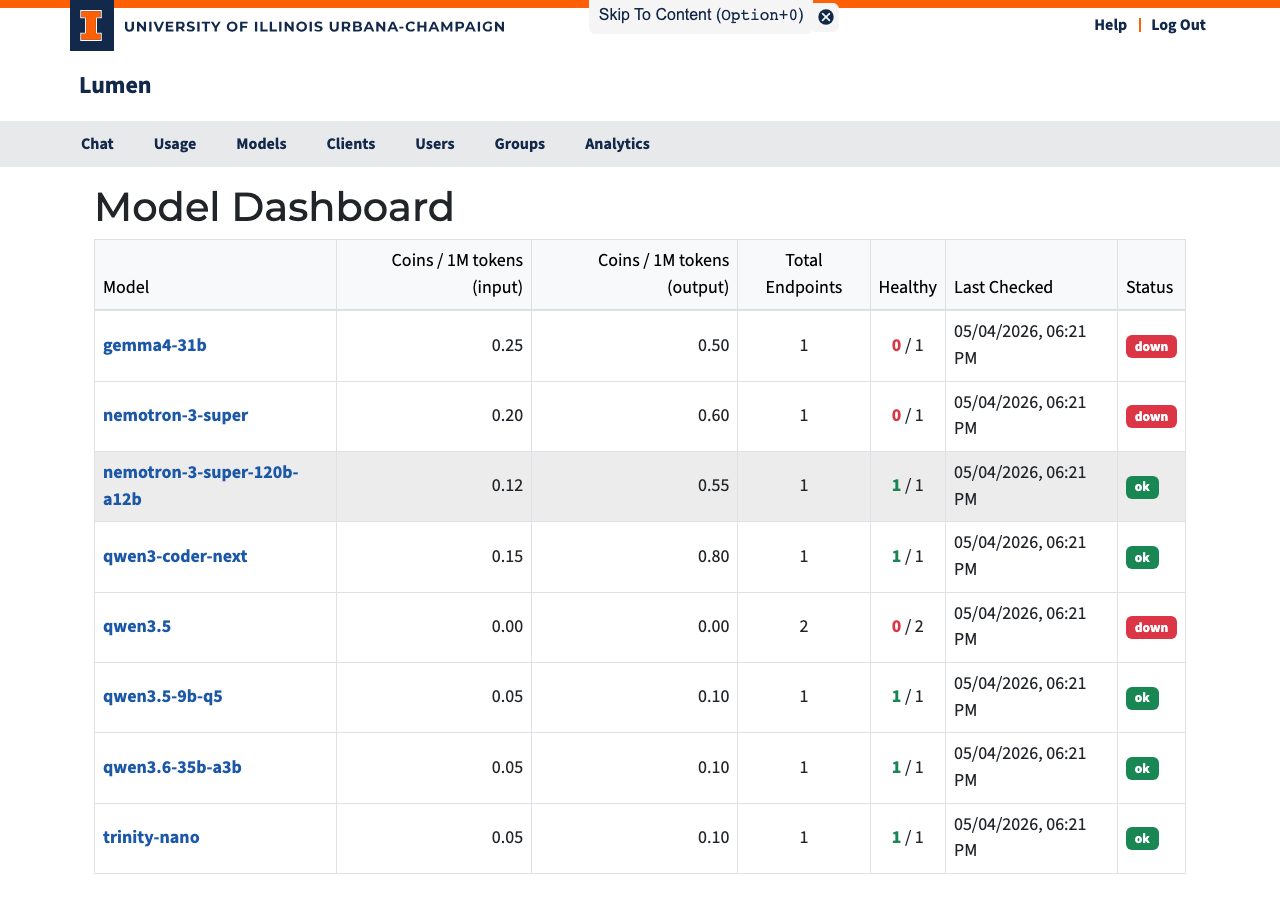
Table Columns
| Column | Description |
|---|---|
| Model | Clickable name — links to the model detail page |
| Coins / 1M tokens (input) | Cost per million input tokens |
| Coins / 1M tokens (output) | Cost per million output tokens |
| Total Endpoints | Number of backend servers (underlying servers providing the model) configured for this model |
| Healthy | How many of those servers are currently reachable |
| Last Checked | When the most recent health check ran |
| Status | Current availability (see below) |
Status Badges
| Badge | Meaning |
|---|---|
| ok (green) | All backends are healthy — model is fully available |
| degraded (yellow) | Some backends are down, but at least one is working |
| down (red) | No backends are reachable — model is temporarily unavailable |
| disabled (gray) | Model has been turned off |
| no endpoints (gray) | No backends have been set up for this model |
Understanding Pricing
Coins are Lumen's internal currency. See the Introduction for a full explanation of how tokens and coins relate. The prices shown here are per million tokens — typical single messages cost a small fraction of that.
Models with higher output rates tend to be more capable or larger. If you are cost-sensitive, compare models on the detail page before running a long batch job.